

Recipient sources
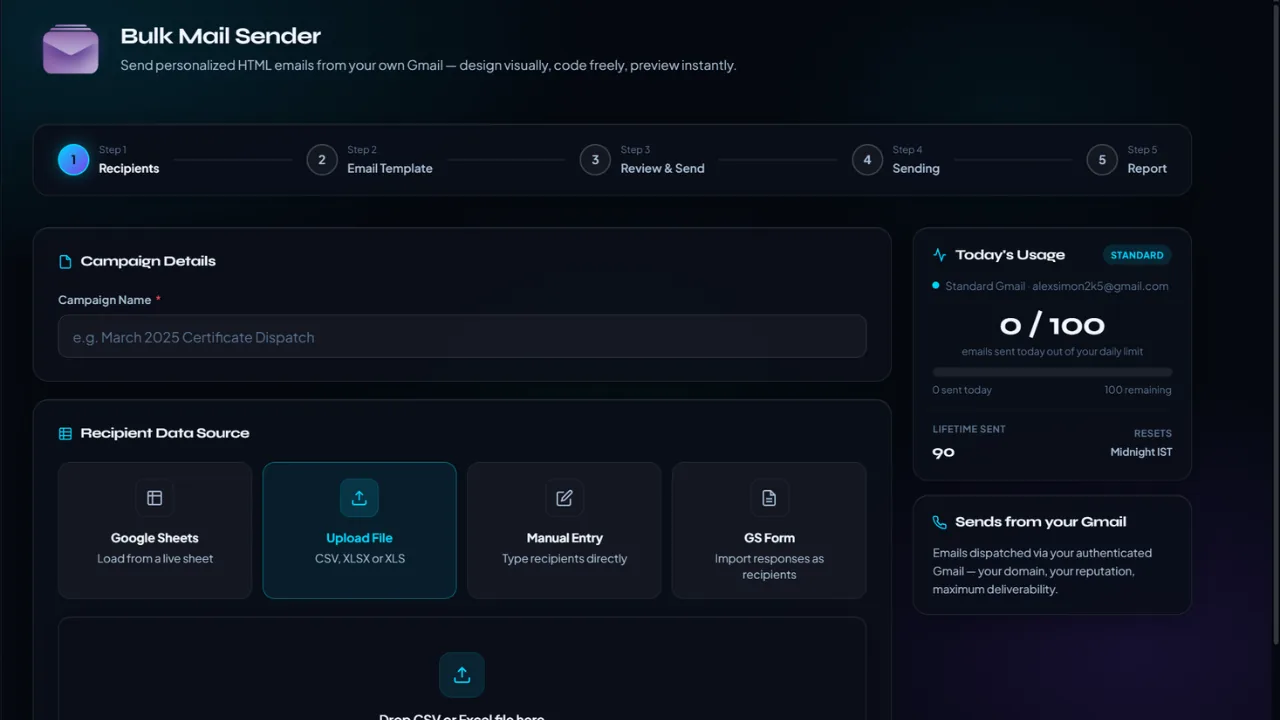
Load data from Sheets, files, manual rows or GS Form responses.
Bulk Mailer turns a recipient list into a personalised campaign, bringing data loading, email design, review, sending and reporting into one workflow.
Load recipients from Google Sheets, CSV, Excel, manual entry or a GS Form, then build the message with merge tags before launching the send — straight from your own Gmail account.
Designed for announcements, event updates, follow-ups and other campaigns where every recipient should receive a tailored message.
Load data from Sheets, files, manual rows or GS Form responses.
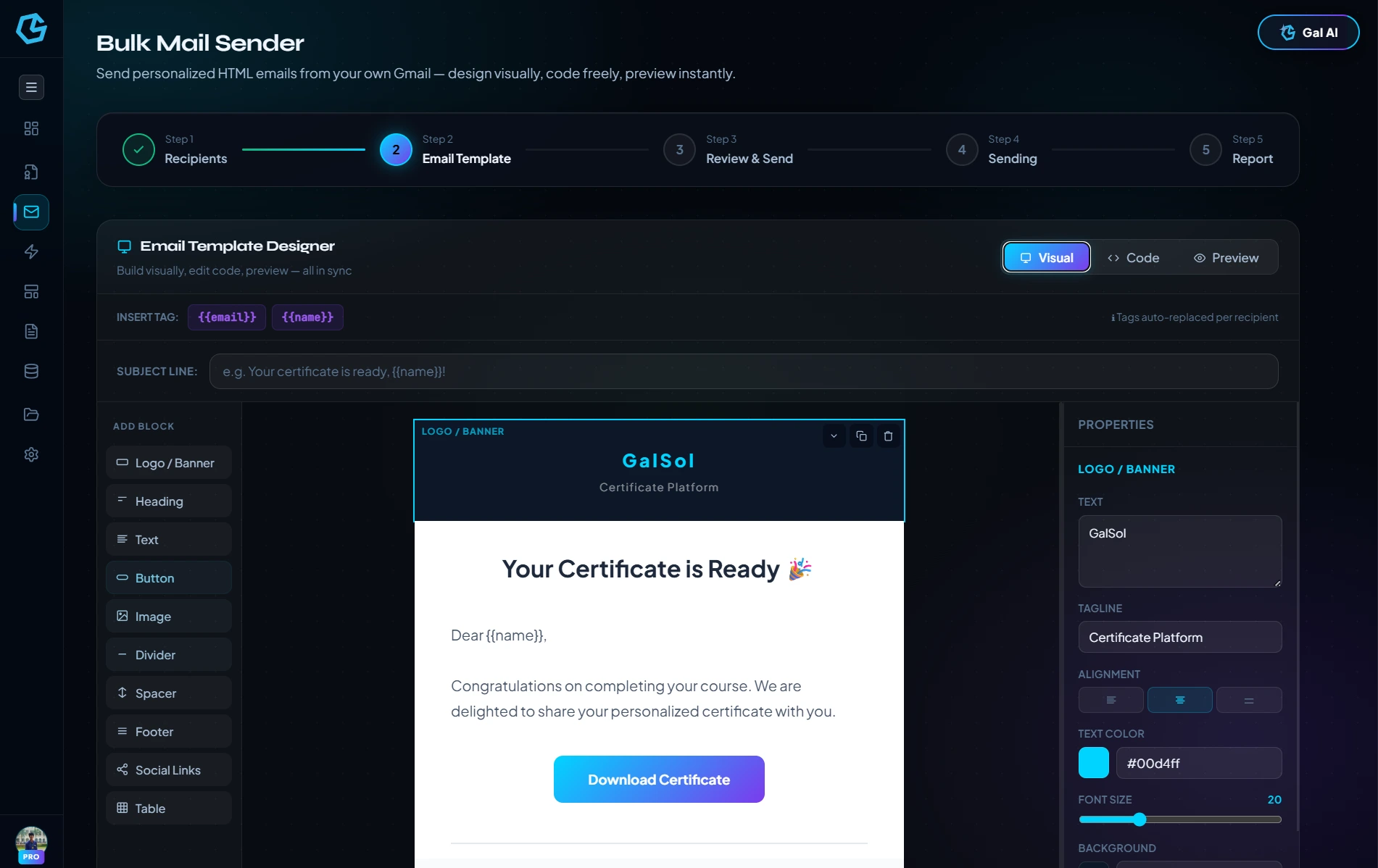
Use recipient fields in subject and body content.
Write the message with syntax highlighting, right in the browser.
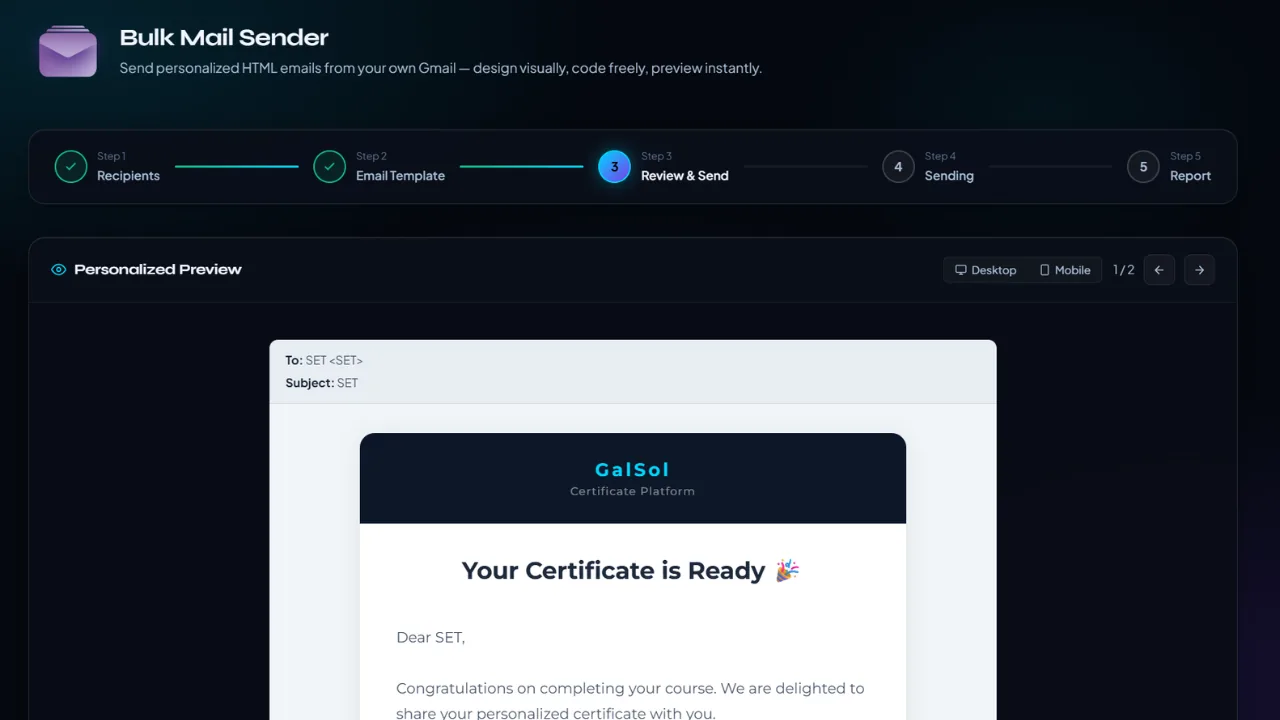
Move through a review state before launch.
Dispatched from your own account — not a third-party relay.
Track send status and delivery in real time.
The interface is organised around the actual sequence of work, keeping data, configuration, review and final output together.
The implementation supports Google Sheets, file uploads, manual entry and GS Form-backed data.
Merge tags let one template render personalised subject lines and body content for each recipient, written with a built-in HTML editor.
The workflow separates review, sending and reporting, with delivery status visible throughout — dispatched from your own Gmail account, not a third-party relay.
Load recipients from Google Sheets, CSV, Excel, manual entry or a GS Form, then build the message with merge tags before launching the send — straight from your own Gmail account.