
01
Form Builder
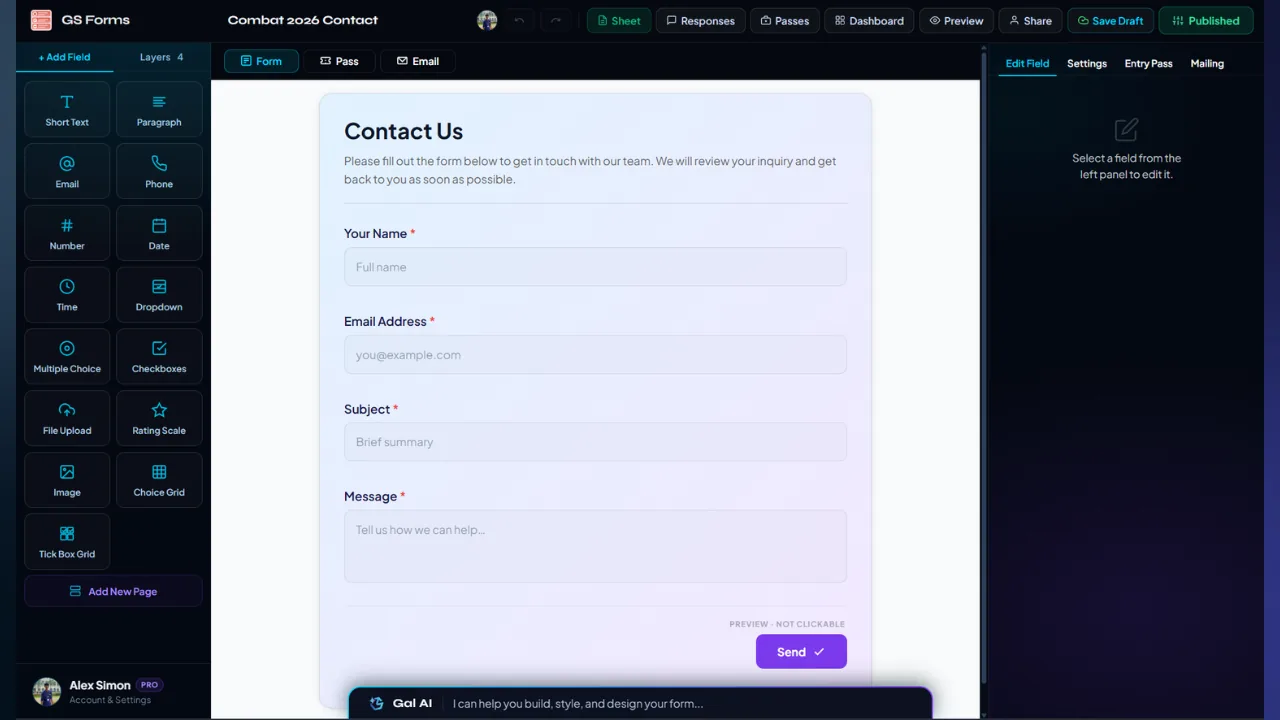
Build the registration itself with a visual editor, field controls, live preview and page structure.

Build a registration once. Then let the form handle the attendee journey.
GS Forms connects form building, conditional logic, attendee data, QR entry passes, automated email, live responses, Google Sheets, analytics and venue check-in into one system.
GS Forms is the registration layer of the GalSol event stack. A submission can flow into attendee data, personalised communication, a QR entry pass, venue check-in and connected analytics.
Instead of collecting names into a dead spreadsheet, GS Forms keeps the useful parts of a registration connected to what happens after submission.
The system is divided into distinct capabilities, so the page gives each one its own place instead of hiding the product behind one generic feature list.
Build the registration itself with a visual editor, field controls, live preview and page structure.
Show fields or pages based on earlier answers, with configurable conditions and logic.
Create a QR-coded attendee pass automatically from a submission when enabled.
Send confirmation, response receipt and entry-pass emails from the registration flow.
Move from raw submissions to connected dashboards, charts, filters and deeper analysis.
Published registrations create the spreadsheet-backed data layer used by the wider workflow.
Use generated passes at the door and record daily attendance against the valid token.
Use the AI assistant inside the builder to create and modify form, email and pass configuration.
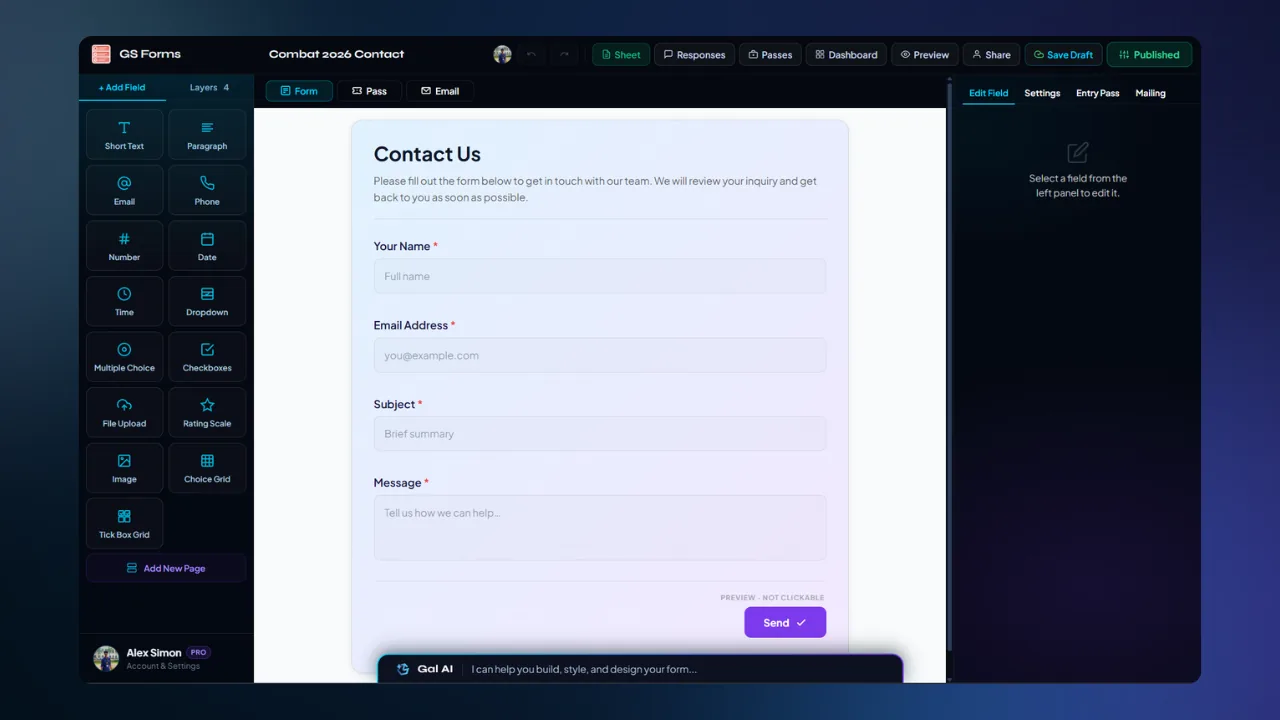
Start from a blank form or a registration template. Arrange fields, configure validation, build sections, preview the multi-page flow and publish when the structure is ready.
When the pass system is enabled, each valid submission can generate a QR-coded entry pass containing attendee and event information. The pass is connected to the attendee record and the scanner workflow.

The pass keeps event identity and visual settings alongside attendee information, so the credential feels designed for the event while remaining tied to the registration.
The scanner verifies a token, checks the current-day status, records admission, and handles invalid, blocked, wrong-day and already-admitted cases explicitly.
GS Forms includes a dedicated mail system for automatic responses. Instead of manually sending confirmations after registrations, configure communication as part of the form.


GS Forms feeds the connected analytics experience. This page only introduces the relationship: registration responses become structured data, then the Analytics workspace turns that data into an operational view for the organiser.
Monitor responses as they arrive.
Use configurable charts and dashboard layouts.
Find the records that matter without losing the dataset.
Move into rows and formula-free pivot analysis.
A published form creates and writes to its own Google Sheet-backed response store. The wider data workflow reads that data, protects system columns and supports structured editing without silently breaking existing records.
The builder's field system is broad enough for registrations, surveys, feedback, applications, workshops and structured event intake.
Use the field type that matches the data you actually need.
Build structure and rules around those fields instead of accepting a one-size-fits-all submission flow.
Control theme colour, background mode, fonts and presentation settings.
Give the registration page a branded opening before respondents reach the fields.
Move forms between draft, published and closed states and reopen when needed.
Set a close date, maximum submissions and whether multiple submissions are permitted.
GS Forms has a wide surface area. These features matter when the form becomes part of a real event operation.
Blank, Event Registration, Workshop, Feedback and RSVP starting points.
Find forms and filter workspace views by relevant state and ownership.
See how many submissions are associated with each form.
Published forms can be shared directly for registrations.
Make a registration form easier to distribute through a QR entry point.
Place a GS Form into another site with a canonical, auto-sizing iframe flow.
Collect uploaded files with configured acceptance and size controls.
Phone fields support country selection and formatted international values.
Required fields and type-specific validation are checked before acceptance.
Changes are persisted locally for smooth editing and synchronised through the product workflow.
Form, pass and email editing keep tab-scoped history for controlled iteration.
Dashboard, responses and pass access can be governed separately for shared forms.
The connected sheet editor can read and mutate published response data with protected system columns.
Later fields append instead of shifting historical response columns.
Published data remains in the owner's connected Google Sheet while authorised collaborators can access it through GalSol.
Gal AI is built into the Form Builder and works from the current form context instead of becoming a generic chat box.
Shared-form access can extend across the registration, responses, dashboard and passes, with separate permissions returned to the UI.
GS Forms sits at the centre of the attendee workflow — from the first question on the registration page to the final check-in and the data behind the event.