

03 · End-to-end delivery

From roster to inbox. One pipeline.

Combined Pipeline joins participant data, certificate design and personalised email delivery into one end-to-end workflow — launched right from the Bulk Certificate tool.

Connect your Slides template and participant Sheet, hit Run: certificates are generated, saved to Drive, linked back to your Sheet, then emailed to every attendee with a final delivery report.

Participant dataSlides templateField mappingEmail deliveryDrive-organized outputDelivery report
GalSol — Combined Pipeline
Combined Pipeline
LIVE WORKFLOW
01
DATA
Participant data
Keep the roster central to the pipeline.
Open01
02
DESIGN
Certificate template
Design the certificate inside the same workflow.
Open02
03
MAP
Field mapping
Connect participant columns to certificate placeholders.
Open03
04
EMAIL
Email editor
Build the delivery message without changing tools.
Open04
05
RUN
One-click automation
Every step runs from a single trigger.
Open05
06
REPORT
Delivery report
Final report with counts and a Drive link.
Open06
The end-to-end layer

Certificate creation and delivery. One connected operation.

The full job in one place: collect participant data, generate personalised certificates, write the delivery message, and launch — certificates saved to Drive, links written back to your Sheet, and a final report when it's done.

01

Participant data

Keep the roster central to the pipeline.

02

Certificate template

Design the certificate inside the same workflow.

03

Field mapping

Connect participant columns to certificate placeholders.

04

Email editor

Build the delivery message without changing tools.

05

One-click automation

Every step runs from a single trigger.

06

Delivery report

Final report with counts and a Drive link.

Workflow

From setup to results.

The interface is organised around the actual sequence of work, keeping data, configuration, review and final output together.

01
Data & CampaignSet the campaign and load the participant roster.
02
Certificate DesignCreate the visual certificate template.
03
ConfigurationMap fields and select the email column.
04
Email TemplateBuild the personalised delivery message.
05
RunLaunch every step from a single click.
06
ResultsCertificates saved to Drive, links written back to your Sheet, and a final delivery report.
01 · Data to Certificate

Keep the participant roster at the centre of the workflow.

The pipeline accepts the same participant-source patterns used by Bulk Certificate and Bulk Mailer, and carries the data into certificate mapping and delivery.
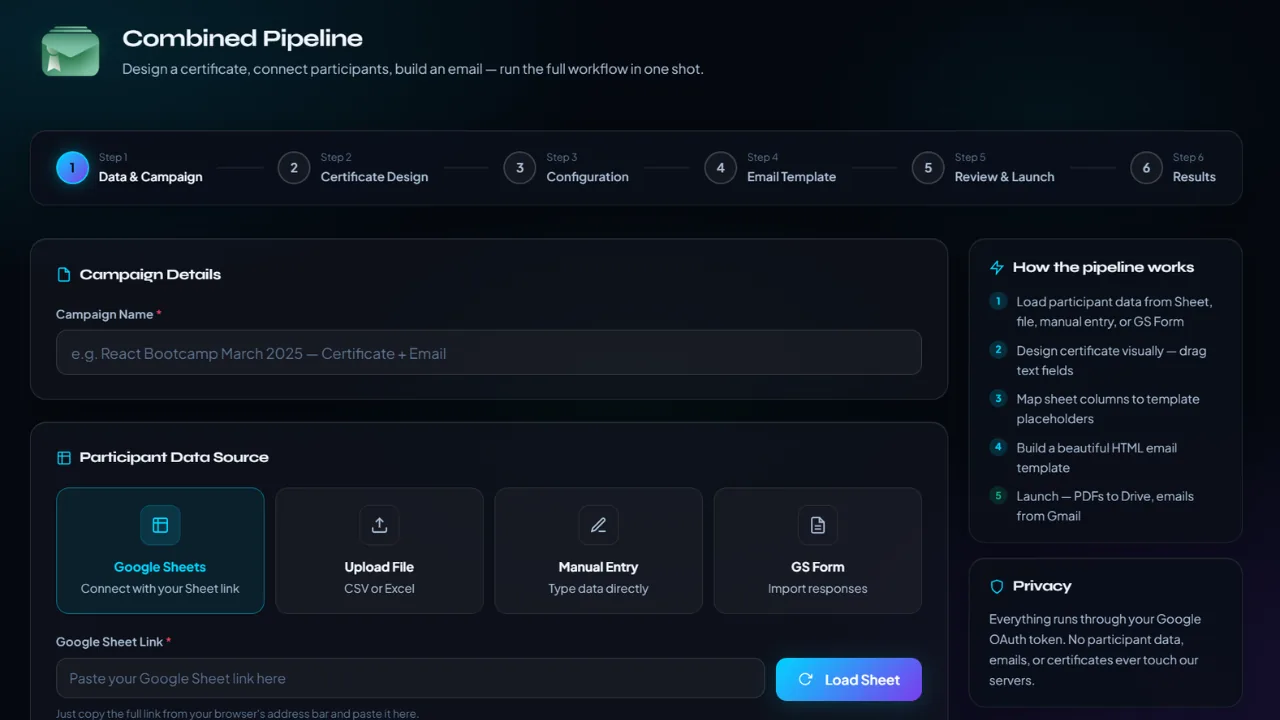
Sheets, files, manual entry and GS Forms
Participant preview
Campaign setup
Certificate field mapping
Combined Pipeline data workspace
GalSol — Combined data workspace
Screenshot: Combined data workspacePRIMARY
02 · Certificate + Email

Design the asset and the message without handing work off.

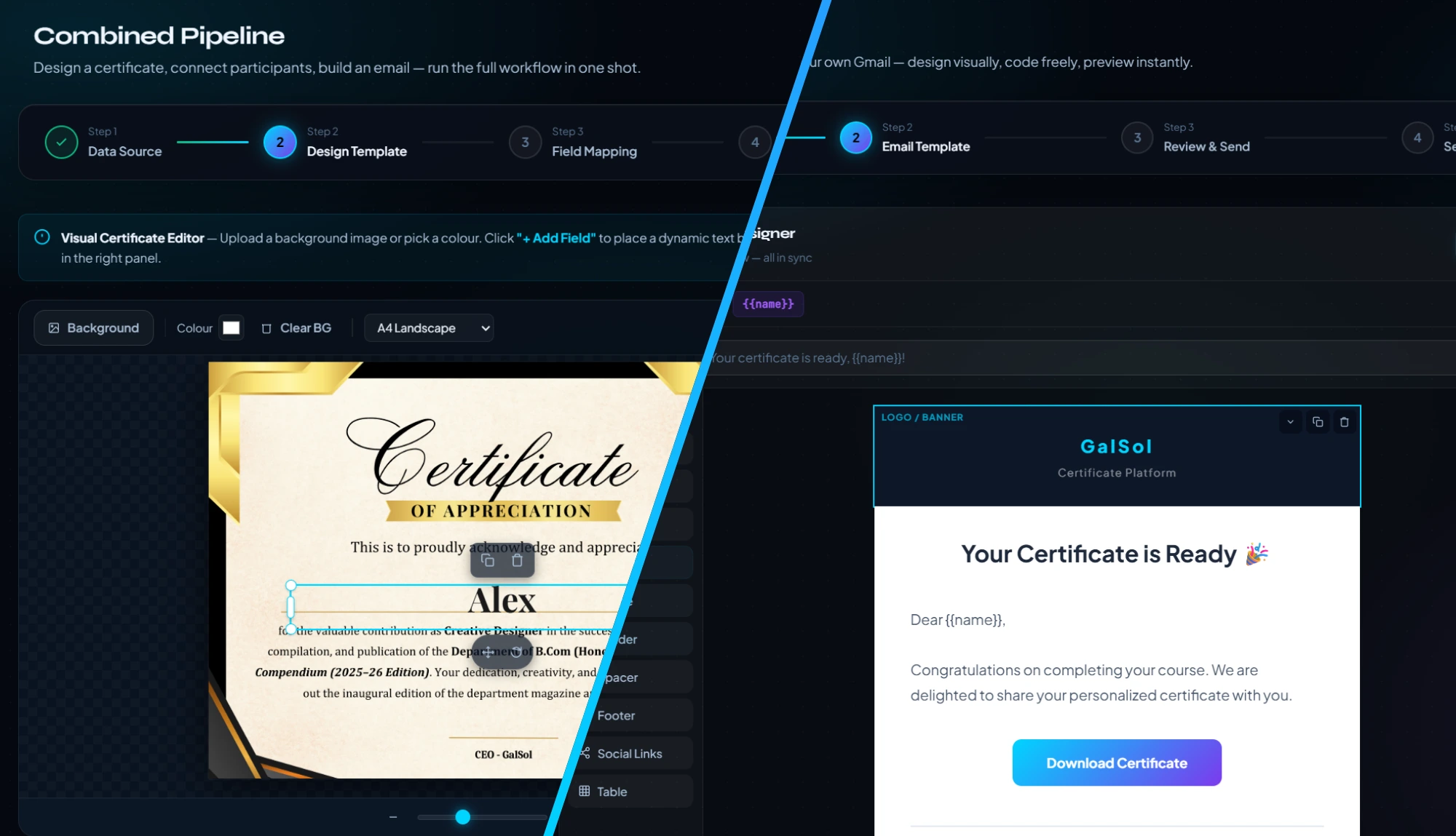
The implementation includes a certificate template step, dynamic field mapping and an email editor as connected parts of one workflow.
Certificate template design
Dynamic field mapping
Email subject / body editor
Personalised delivery content
Combined Pipeline editor
GalSol — Pipeline editor
Screenshot: Pipeline editorPRIMARY
03 · Run & Deliver

One trigger, every step automated.

GalSol generates every certificate, saves them to Drive in an organized folder, writes the certificate links back to your Sheet, then emails every attendee — and delivers a final report with counts and a Drive link.
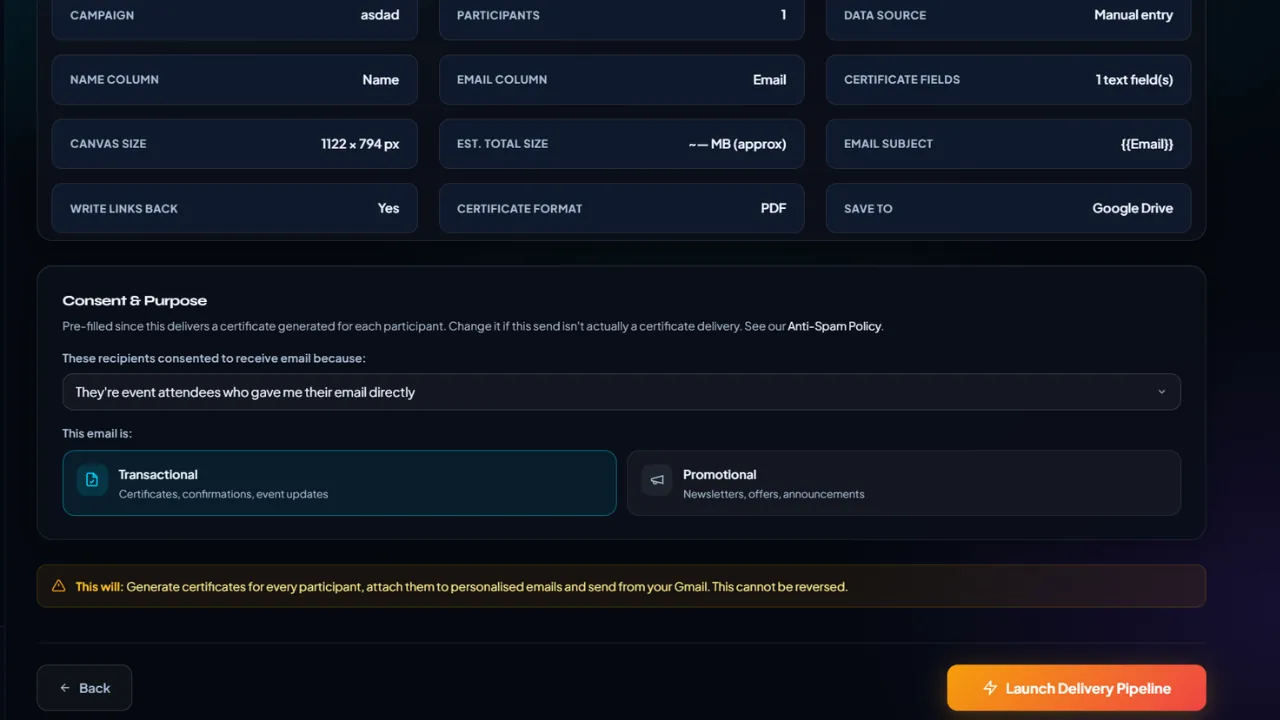
Certificate generation
Drive-organized output
Links written back to your Sheet
Automated email delivery
Final delivery report
Combined Pipeline review and delivery
GalSol — Review + delivery
Screenshot: Review + deliveryPRIMARY
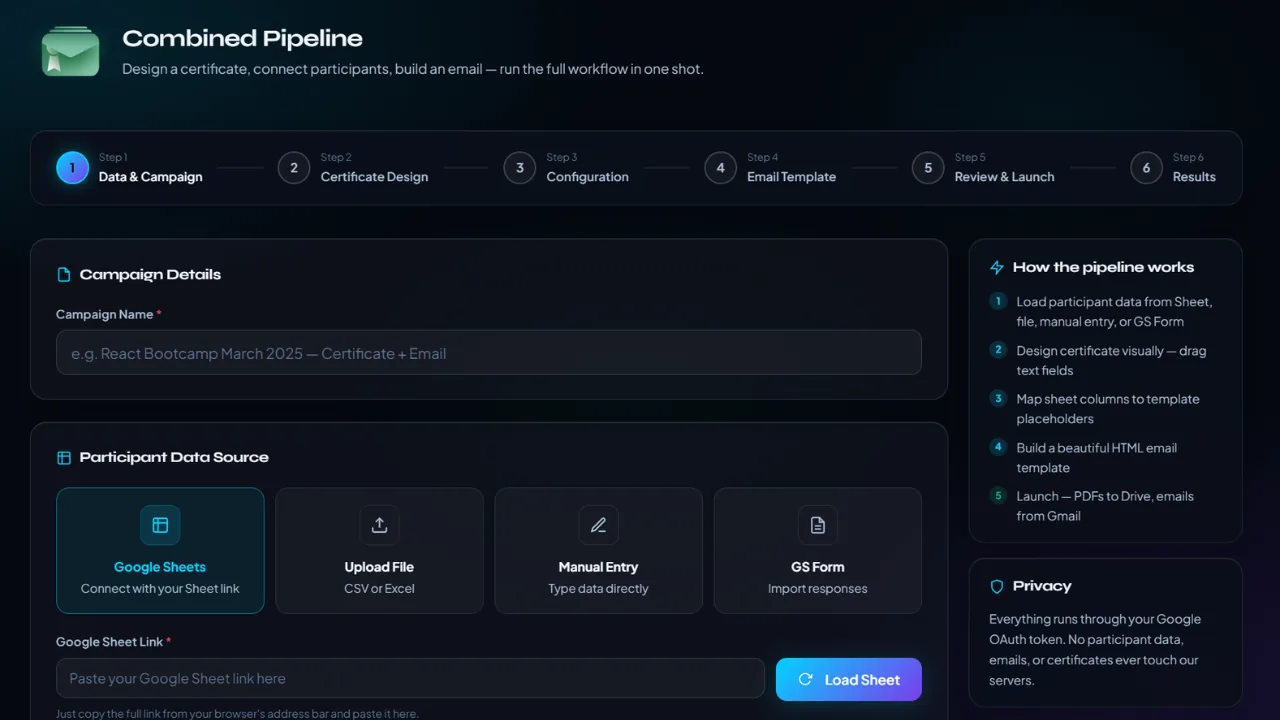
Combined Pipeline overview
GalSol — Combined Pipeline
Screenshot: Combined PipelinePRIMARY
Built for event-day execution

Use the pipeline when the job is not just making certificates — it is making them, personalising the message and getting every final output to the right person.

Connect your Slides template and participant Sheet, hit Run: GalSol generates every certificate, saves them to Drive, writes links back to your Sheet, then emails every attendee — and delivers a final report.