
Countdown Timer
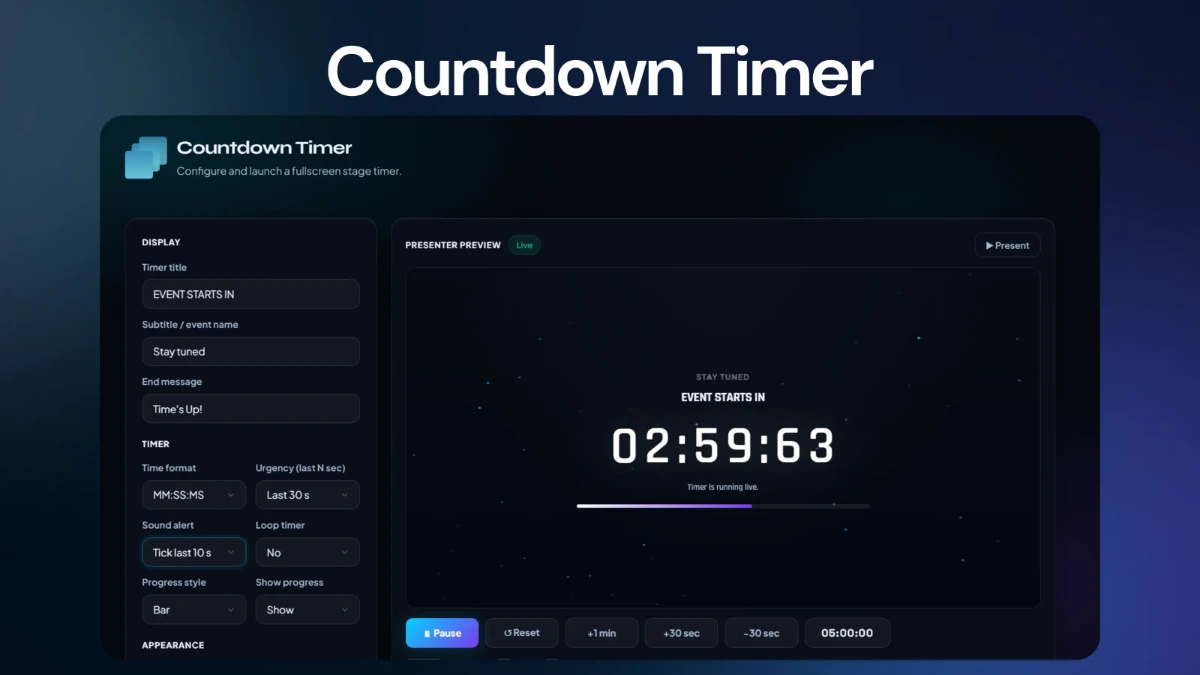
Run stage timing with presenter controls, a fullscreen audience view, urgency states, progress and visual styles.
Stage timing01

Event Assets brings the live tools your event needs onto one operational layer — from countdowns and judging to Q&A slides, scoreboards, and buzzer rounds.
Launch the right utility for the moment, run the stage without jumping between unrelated software, and keep the live experience consistent from setup to final round.
Event Assets is not a random collection of utilities. Each tool answers a specific event-day need, while the hub gives organisers one place to find and launch it.
Event Assets gives each live operation its own focused interface while keeping the overall experience unified.
Every Event Asset has its own job, controls and presentation context — so organisers can focus on execution rather than assembling a live workflow from disconnected services.
Run stage timing with presenter controls, a fullscreen audience view, urgency states, progress and visual styles.
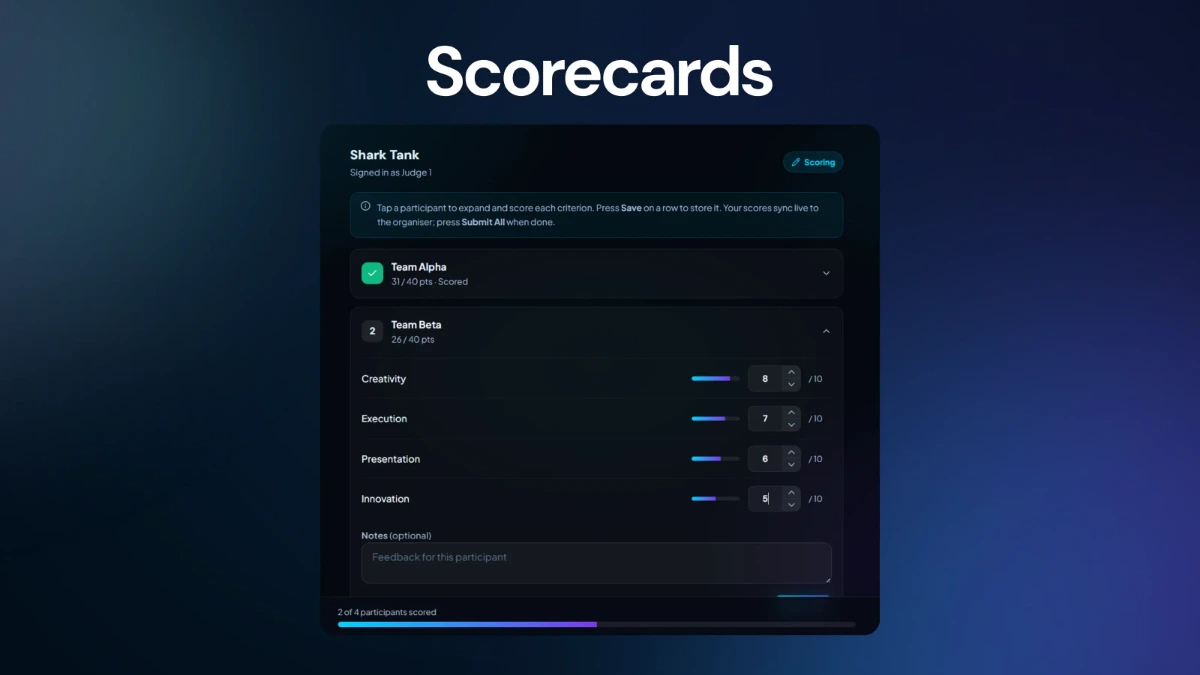
Capture criteria-based scores from judges and aggregate results live for event-specific judging workflows.
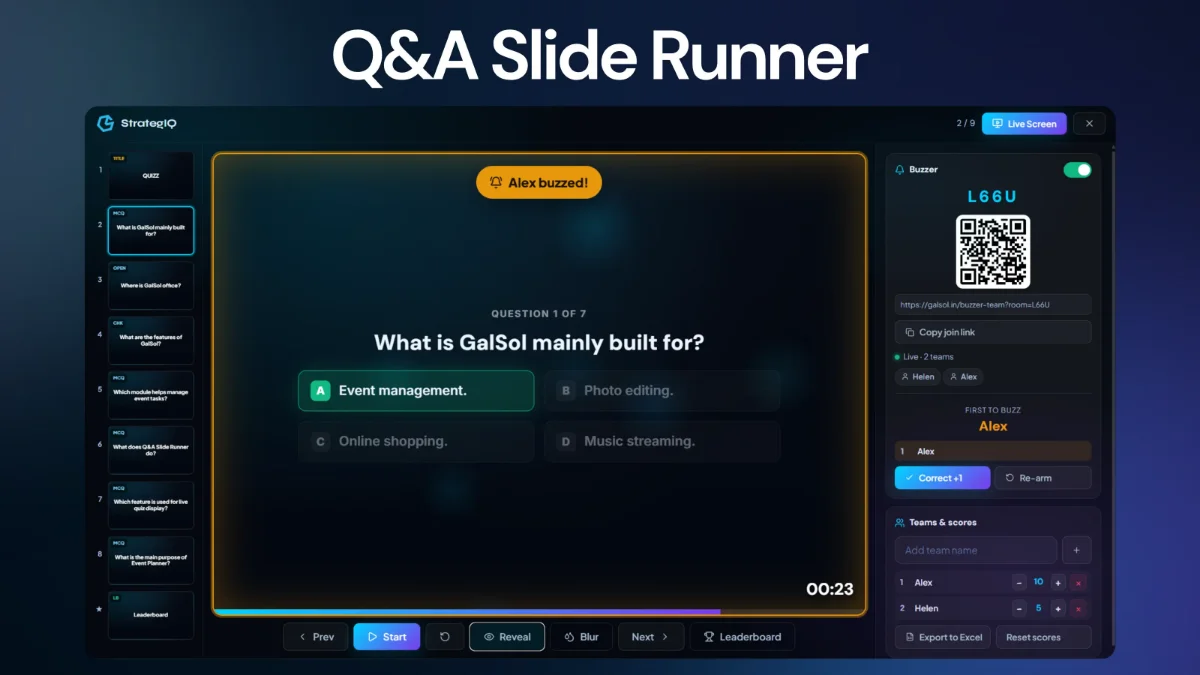
Present question slides with MCQ choices, timers, reveals, transitions and live leaderboard moments.
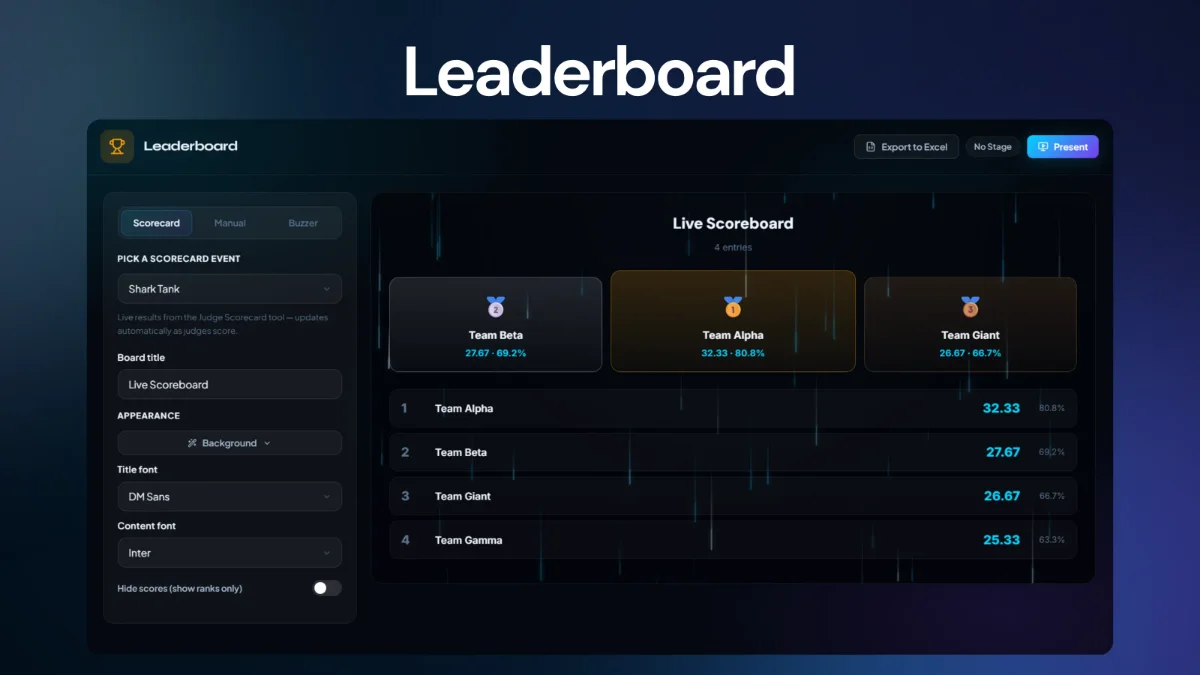
Turn points into live rankings with totals, team visibility and stage-ready display controls.
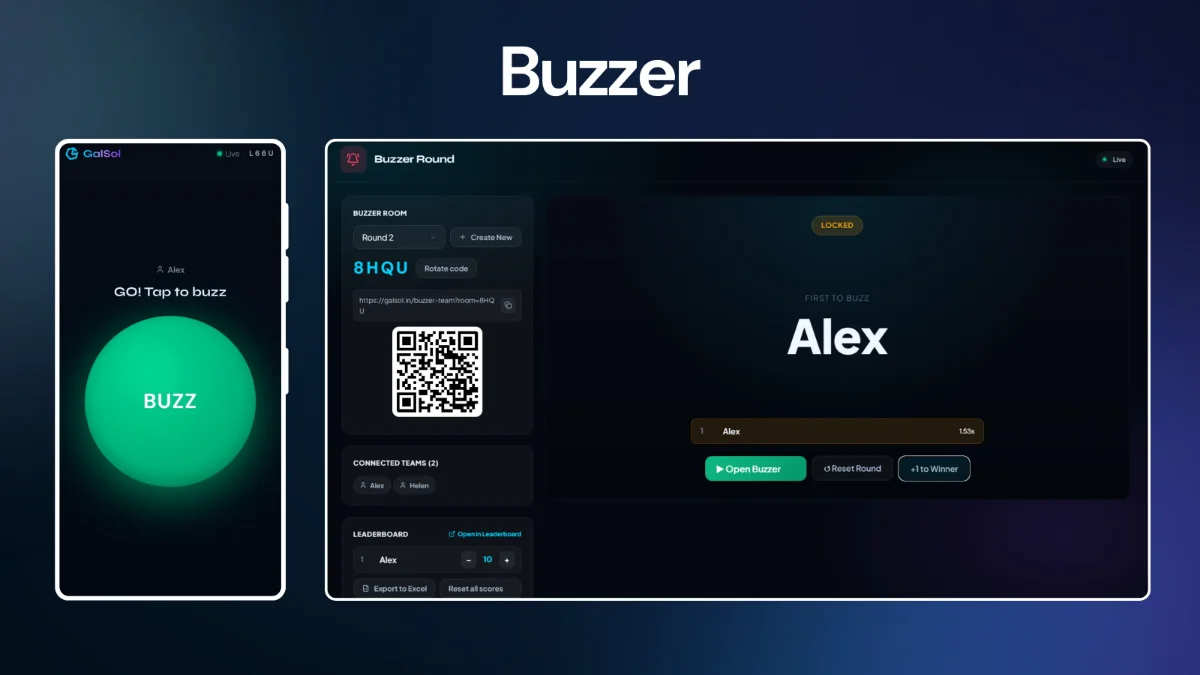
Run first-press competitions with a host room, join code, winner tracking and fast score adjustments.
The timer is designed for live presentation use, with a presenter-oriented control layer and a fullscreen audience stage. It can communicate time remaining visually instead of relying on a small clock hidden away on an operator's screen.
The scorecard tool supports judging workflows where multiple inputs need to be captured and combined live. Organisers can start from templates instead of building a scoring system from scratch.
The QA runner is built for presentation rounds and interactive question screens. Slides can move from prompt to options to reveal while timing stays visible to the audience.
The scoreboard layer gives organisers and audiences a clear way to track totals and compare teams throughout an event.
The Buzzer Round is built for fast-response competitions where the host needs to know who pressed first and teams need a simple, focused way to join and play.
Simple mobile-first play screen with team identity, live room status and a large press target.
Record the order of buzzes so the host can identify the earliest response.
Create a room, manage rounds, monitor teams and award points.
Teams enter a room code or join link and get a dedicated buzzing screen.
Adjust points live and use the leaderboard to surface current rankings.
The visible headline features are only part of Event Assets. The tools also include the practical controls that make them usable during a live session.
Put audience-facing timer, Q&A and scoreboard experiences into presentation-ready views.
Operate the live experience from a dedicated control screen rather than editing the audience display directly.
Bring judge inputs together as scores are submitted.
Scorecard participant setup supports manual lists as well as CSV / Excel import workflows.
Score and buzzer data can be exported when organisers need a record or downstream processing.
Buzzer and live presentation workflows make it easy to connect participant devices to a live room.
Surface rankings and totals during competition without rebuilding the display manually.
Move Q&A content from prompt to answer reveal at the operator's chosen moment.
Use thresholds, progress feedback and optional sound to make time pressure visible.
Timer and presentation tools support backgrounds, fonts and accent treatments.
Reset rounds, scores and live states when the next stage moment begins.
Each Event Asset has a focused UI built around its operational job.
Event Assets gives organisers the live tools needed to run stage moments, judging workflows, interactive questions, rankings and buzzer rounds from one connected event toolkit.