

Committees
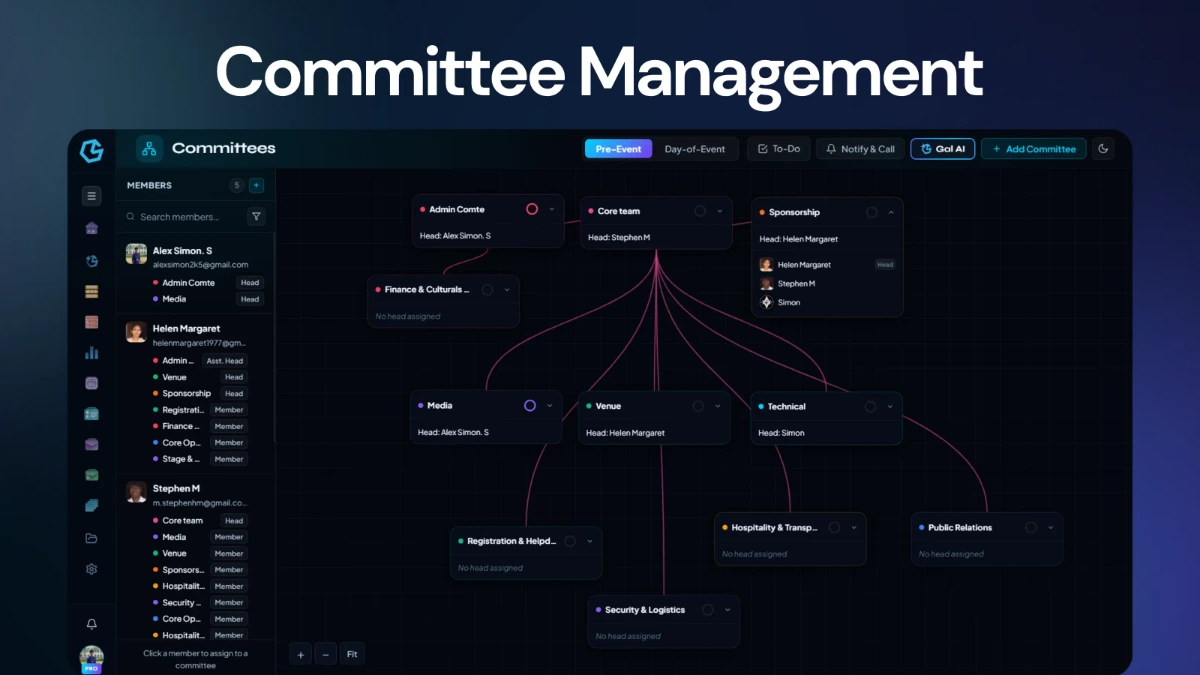
Build pre-event and day-of-event committees, assign heads and members, manage access, and notify organizers when it is time to join.
Plan committees, tasks, budgets, calendars, and event flow in one connected workspace.
Build the team structure, assign work, control the money, shape the programme, and keep every deadline connected to the same event.
Event Planner connects the operational pieces that normally get split across spreadsheets, chats, calendars, and separate planning tools.
Build pre-event and day-of-event committees, assign heads and members, manage access, and notify organizers when it is time to join.
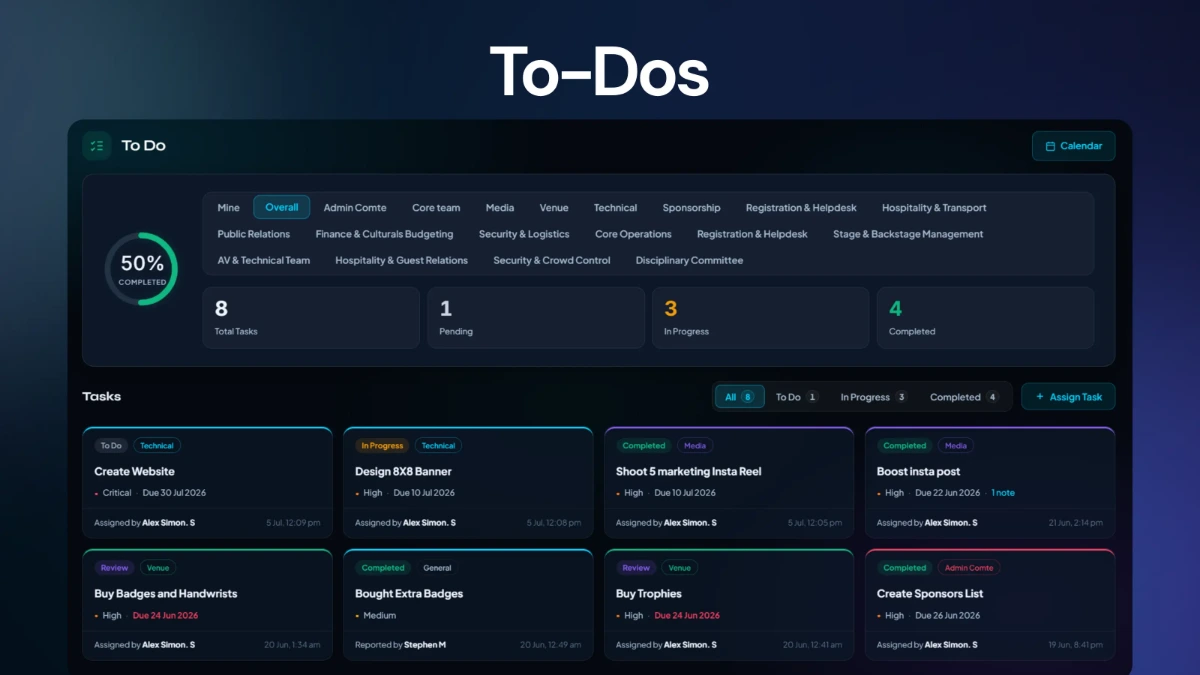
Assign tasks by committee, track To Do, In Progress, Review, and Completed work, and keep every deadline visible.
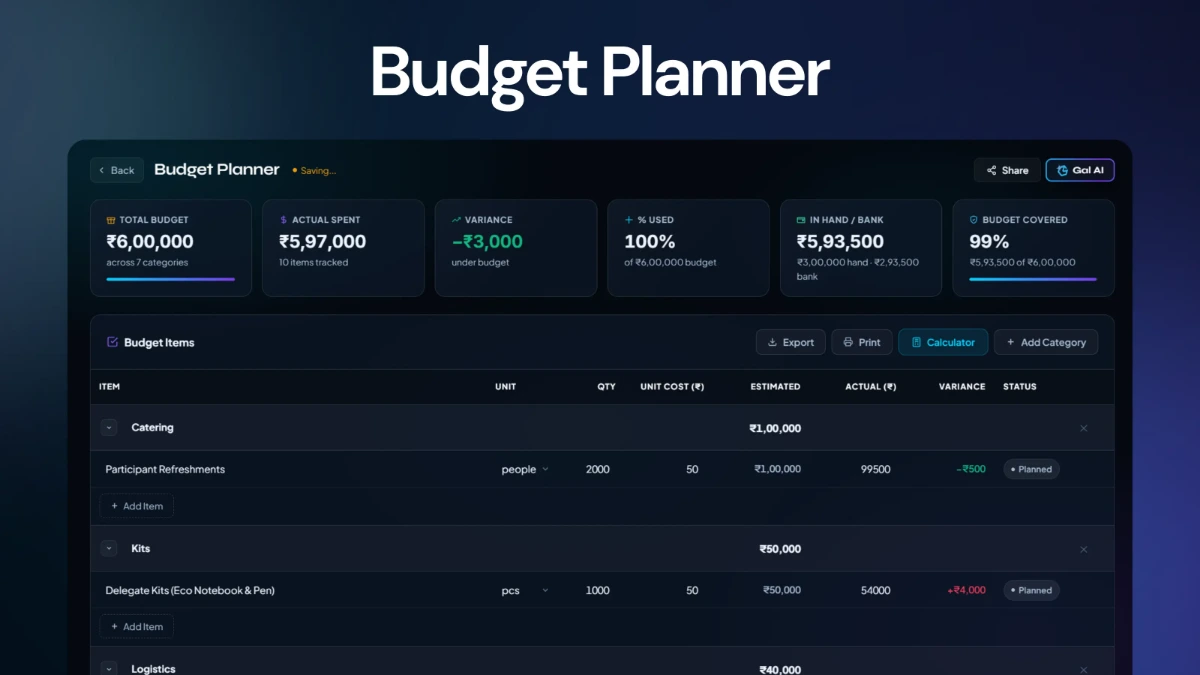
Track categories, estimated costs, actual spending, variances, funding sources, and overall budget coverage.
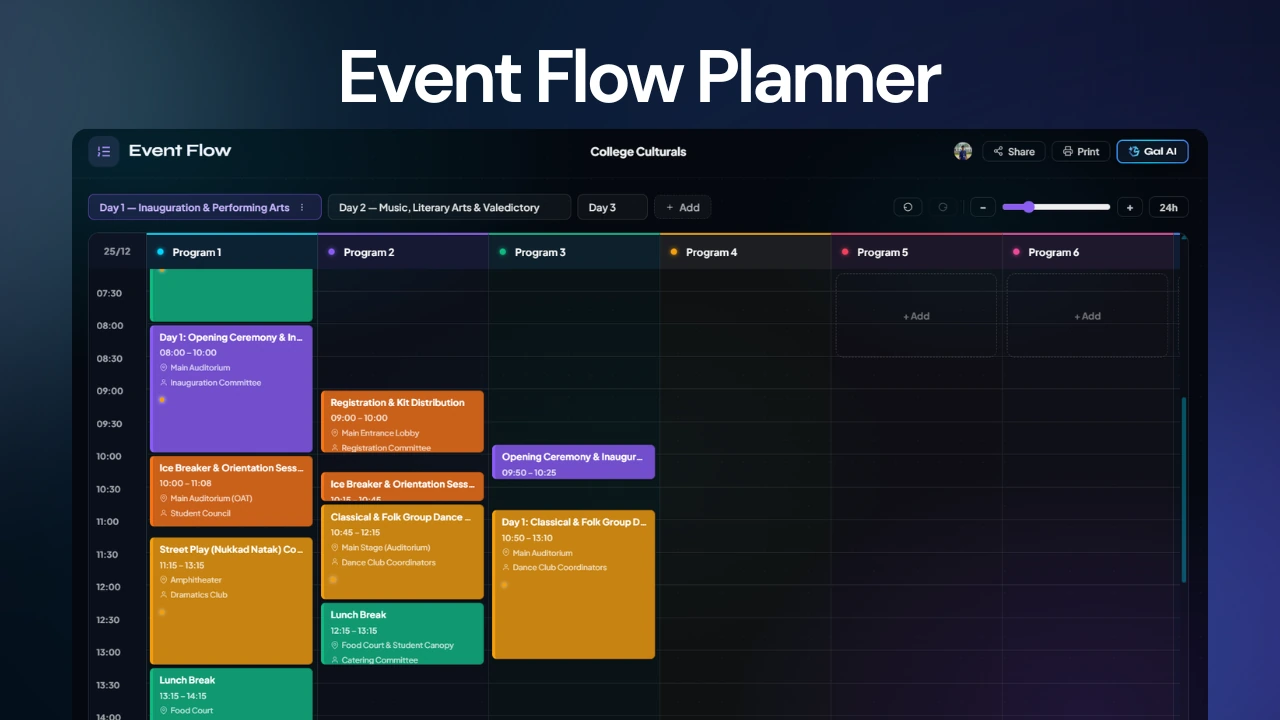
Design the full run-of-show with programme segments, timing, venues, responsible people, dates, status, and cue notes.
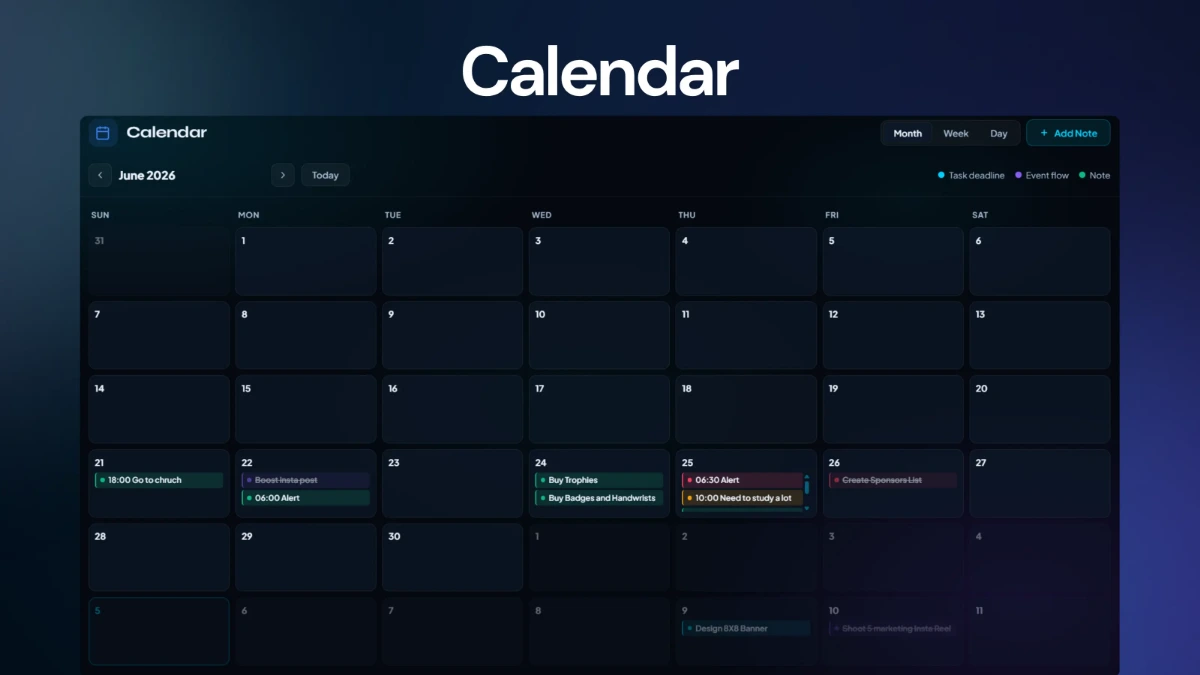
Bring task deadlines, event-flow segments, and manual notes into one month, week, or day view.
Use a central hub to monitor members, total tasks, completed work, and days away while keeping the event setup in one place.
The planner is structured around the way an event actually gets prepared: build the team, assign the work, protect the budget, schedule the programme, then keep everything synced through the calendar.
Create committees and define who leads, assists, and receives management access.
Turn responsibilities into tasks with committees, priorities, assignees, deadlines, and notes.
Set categories, estimated costs, actuals, funding sources, and track variance as the event moves forward.
Create event-flow segments with timing, venue, responsible teams, and cue notes.
See deadlines, flow segments, and notes together in one operational calendar.
Event Workspace acts as the operational landing point for an event. The workspace surfaces the core signals you need to understand where the event stands before moving deeper into committees, tasks, budget, flow, or calendar.
Each module has its own focused workspace, while the event itself remains the shared source of truth.
Structure the people running the event first — pre-event and day-of-event committees, with heads, members and access levels defined up front.
Track every category against what was planned, watch variance as spending happens, and keep funding sources visible alongside the numbers.
Every task carries a committee, priority, assignee and deadline, viewable from your own list, the overall workspace, or a single committee.
Lay out the programme with timing, venue and the person responsible for each segment, then share it with the team once it's ready.
Task deadlines, event-flow segments and manual notes come together in a single calendar, zoomable from the whole month down to one day.
Event Planner includes AI support inside the modules where planning usually takes the most manual work: budgets, committee structure, and event programmes.
Generate realistic budget categories and item estimates based on your location and budget limit.
Plan committee structures, hierarchy, and member assignments for pre-event and day-of-event needs.
Create complete event timelines with segments, timing, venues, and cue notes.
Set up your team, assign the work, protect the budget, shape the programme, and keep every deadline in the same event workspace.