Event Site Builder

Mini Site.

A stunning event page, live in minutes — pick a template, add your details, and publish on a GalSol link or your own domain.

From your event story to the final publish button, Mini Site keeps design, content, registration, and deployment inside one visual workspace.
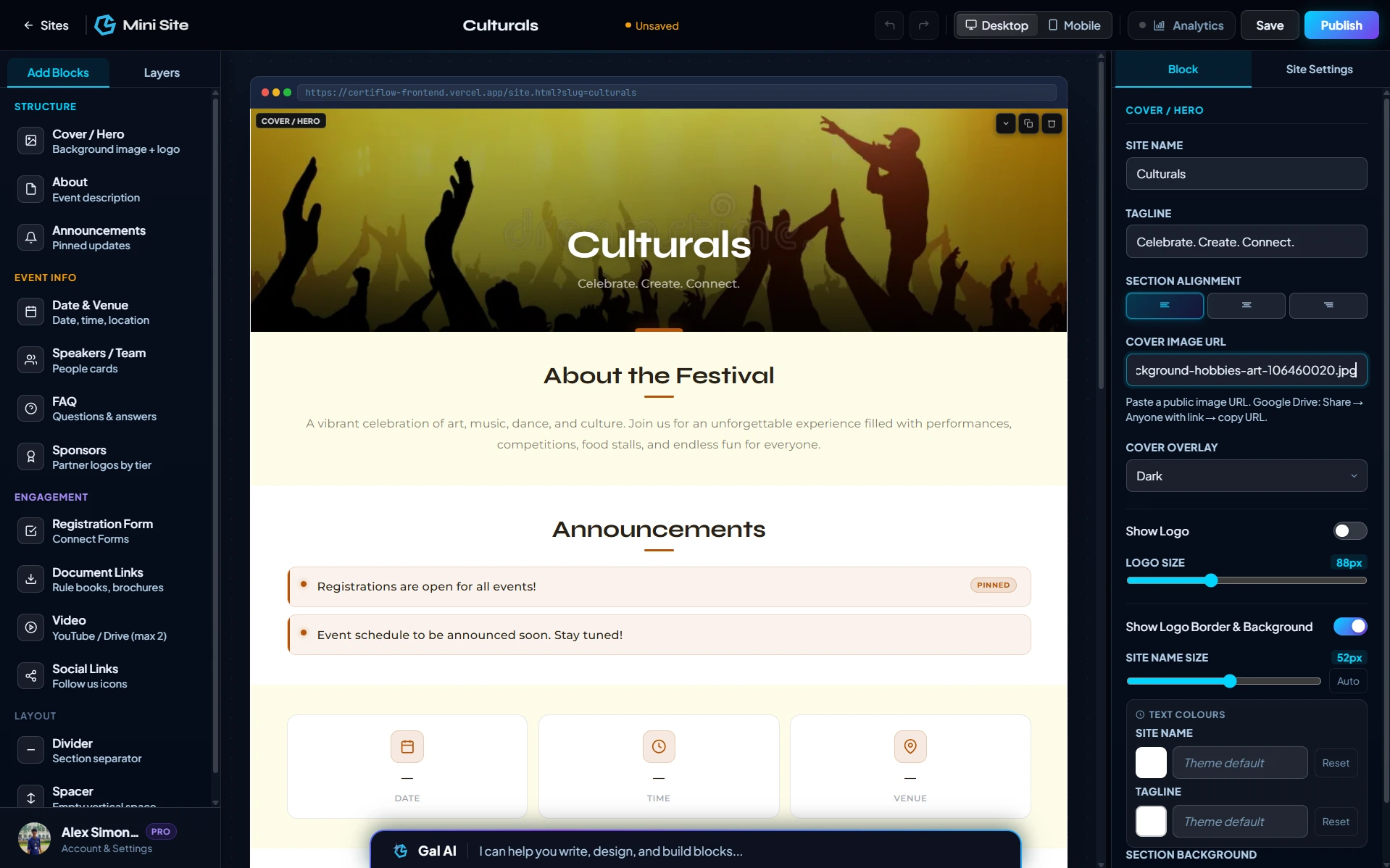
Mini Site editor showing a live event page preview
Mini Site product preview
What Mini Site does

Turn an event brief into a live site.

Mini Site is designed around reusable sections rather than a blank canvas, so organisers can assemble an event site quickly and still control the details.

01

Build visually

Drag-and-drop blocks, edit properties, manage layers, and see changes immediately on the live canvas.

02

Preview every screen

Switch between desktop and mobile preview while building so your event site stays presentation-ready.

03

Registration-ready

Connect Google Forms, Typeform, or GS Forms and control whether submissions are currently open.

04

Publish instantly

Deploy to a live GalSol URL, redeploy updates, or connect your own domain.

05

Measure visitors

Connect a GA4 Measurement ID and keep visitor tracking alongside the site creation workflow.

06

Create with Gal AI

Use the in-editor AI to generate pages, add sections, change themes, and refine site content.

Section blocks

Everything an event page needs.

Mini Site’s block library covers structure, event information, content, engagement and layout, giving organisers a complete set of building pieces.

Structure

Core
Cover HeroFull-width hero, image, logo, event name and tagline.
Navigation HeaderSticky navigation for multi-page sites.
FooterLogo, links, contact details and legal text.
Divider / SpacerControl section rhythm and visual separation.

Event information

Inform
Date & VenueDate, time, location, online link and map link.
ScheduleDay-by-day event sessions in a timeline format.
CountdownLive days, hours, minutes and seconds.
Events LineupSub-events, competitions, tracks or sessions.
Speakers / TeamPhoto, role and bio cards for people.
SponsorsPartner logos organised by sponsorship tier.

Content

Tell the story
AboutExplain the event, audience and purpose.
AnnouncementsPin updates, deadlines and important notices.
FAQAccordion-style answers to participant questions.
Document LinksRulebooks, brochures, invitations and resources.
ImageStandalone posters, banners and highlight visuals.
VideoEmbed YouTube or Drive content.

Engagement

Convert
Registration FormConnect Forms and registration journeys.
Button / CTAFocused actions linked to pages or URLs.
ContactEmail, phone, map and embedded form support.
Social LinksLet visitors follow the event or brand.
Inside the editor

One visual workspace. No guesswork.

The Mini Site editor brings the block palette, layers, live canvas, property controls, preview modes and global site settings into one place. That makes the page easier to build, edit and hand over.

A
Drag-and-drop blocksBuild section by section from a reusable block library.
B
Live desktop & mobile previewSee the same page at different screen sizes while editing.
C
Property-level controlChange content, links, layout, colours and display settings from the right panel.
D
Global site settingsManage themes, accent colours, fonts, alternating tones and responsive typography.
E
Undo, redo & saved stateKeep editing history and publishing state organised.
F
Multi-page sitesAdd up to two extra pages, switch between them and automatically manage navigation.
See it in action

Templates, pages and visitor tracking.

Three parts of the workflow organisers use most — starting from a template, adding extra pages, and watching who shows up.

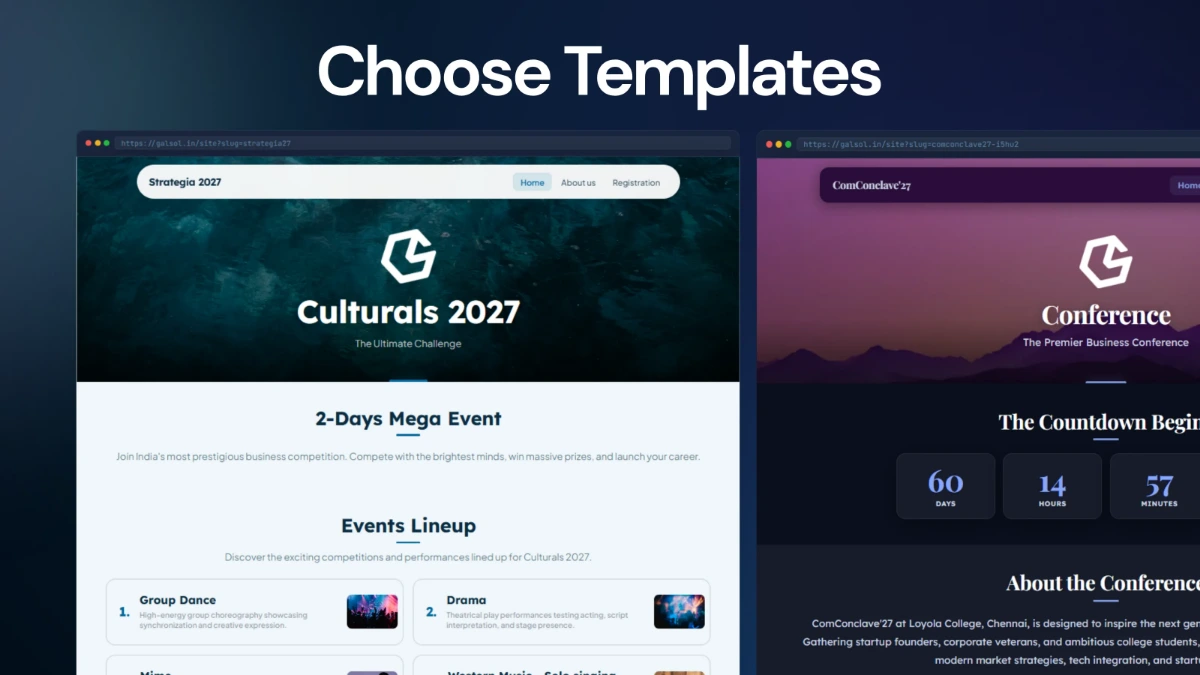
Mini Site template picker

Start from a template

Pick a pre-designed layout for your event type and adjust it instead of starting from a blank page.

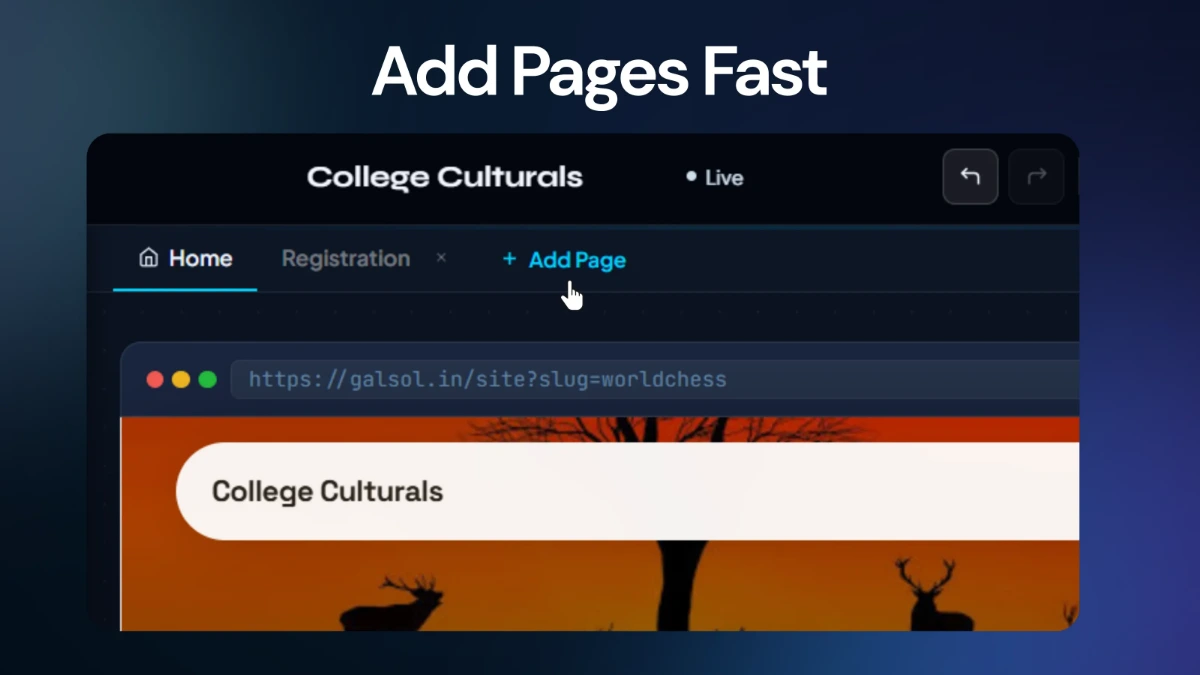
Adding an extra page inside the Mini Site editor

Add pages

Extend beyond the home page with up to two additional pages, with navigation kept in sync automatically.

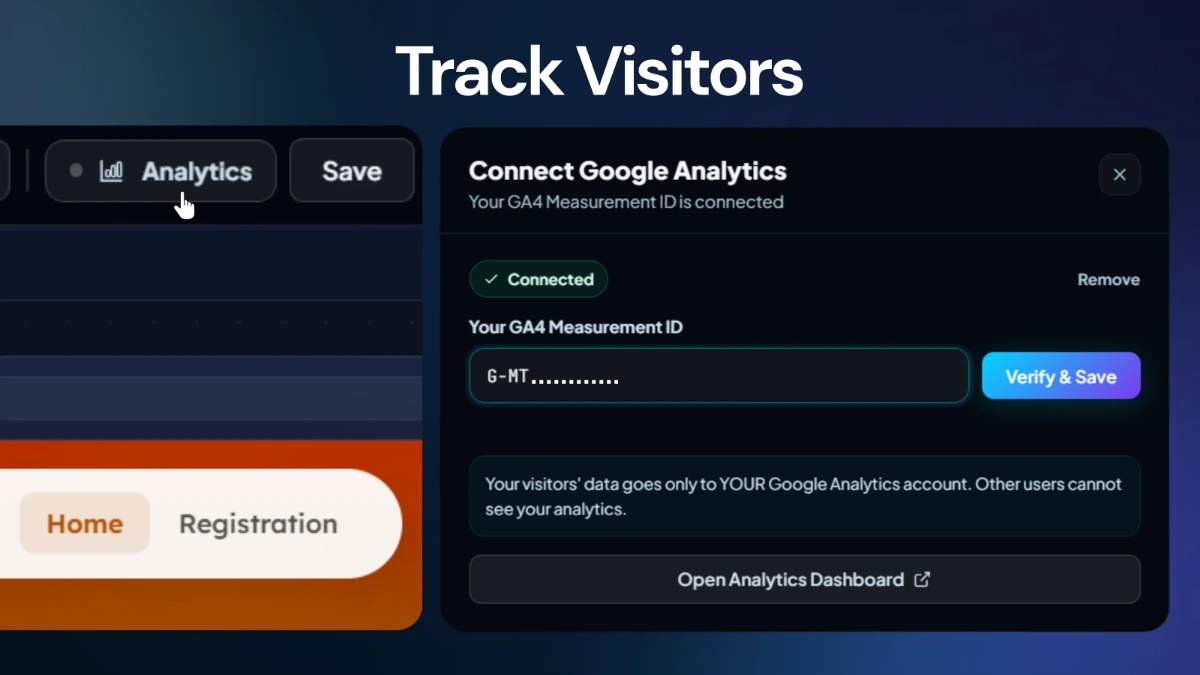
Mini Site visitor analytics view

Track visitors

Connect a GA4 Measurement ID and watch traffic on your event page from the same workspace.

Publishing

Build it. Publish it. Keep it live.

Publishing is part of the workflow—not an afterthought. Make changes, deploy them, manage registrations and connect your own domain from the same product.

Deploy instantly

Launch to a public GalSol URL as soon as the site is ready.

Control registrations

Open or close registration submissions whenever the event needs it.

Connect a custom domain

Attach your own hostname, get the DNS record GalSol needs to verify it, and check verification status right from the app.

Redeploy updates

Publish fresh changes without rebuilding the entire site from scratch.

Beyond the builder

It behaves more like a product.

Mini Site also includes collaboration, analytics, AI assistance and reusable templates, turning a page builder into part of the organiser's operating system.

Collaborate with teammates Connect GA4 analytics Gal AI inside the editor Event templates Desktop preview Mobile preview Multi-page sites Custom domain Collaborate with teammates Connect GA4 analytics Gal AI inside the editor Event templates Desktop preview Mobile preview Multi-page sites Custom domain

Make the event website the easy part.

Bring your event content, registrations and publishing flow into one visual workspace with Mini Site.